
Entry points overview
One workspace opens from several surfaces: the desktop app, a terminal, your editor, a bot in a group chat. Whichever you come in through, you're talking to the same agent. It reads the same .craft/ and shares the same threads and the same long-term memory. All that changes is the surface you talk to it through.
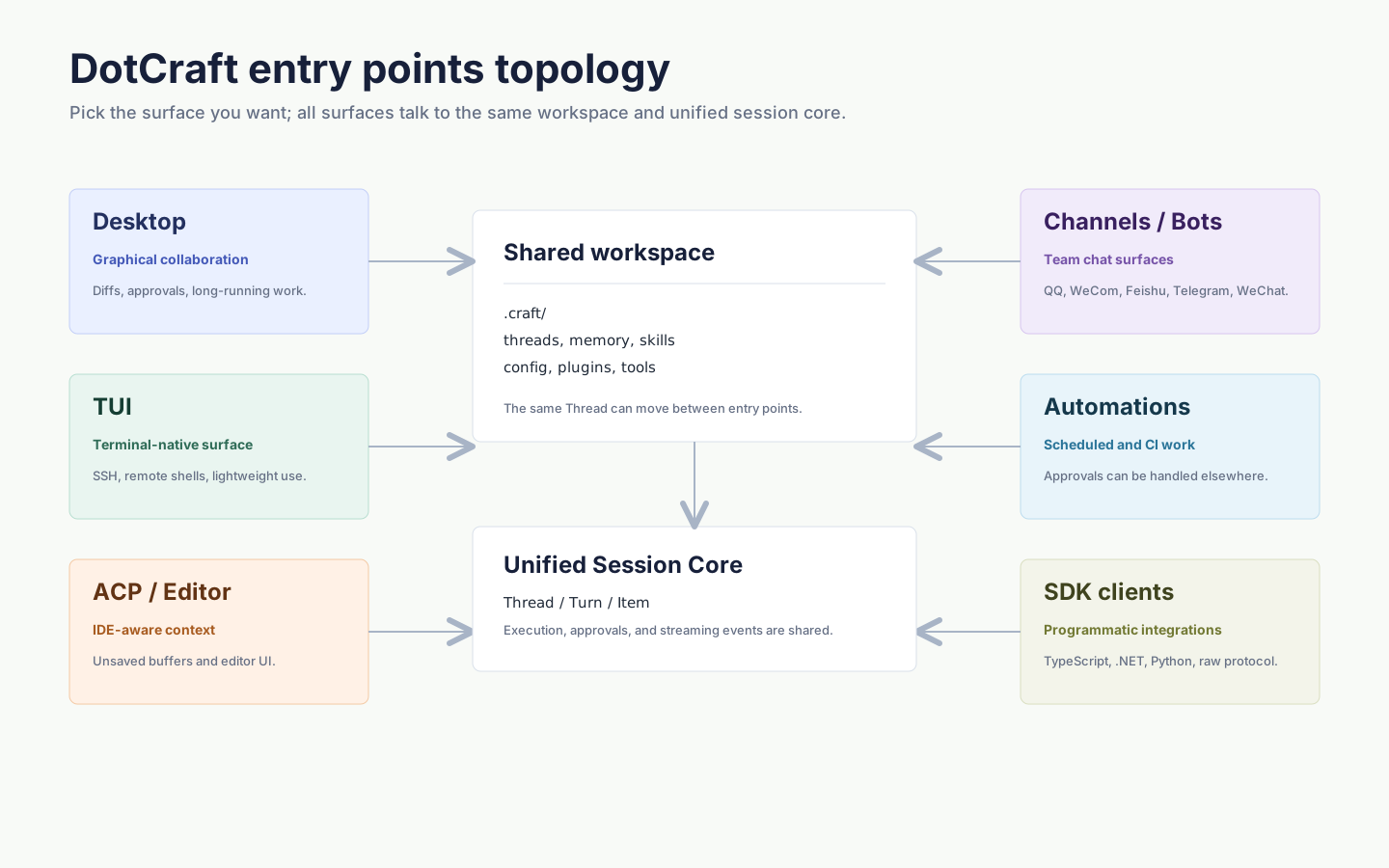
Four ways in
| Entry | Surface | Best for |
|---|---|---|
| Desktop | Graphical desktop app | First-time use, long-running collaboration, reviewing diffs and approvals one by one |
| CLI | One-shot command | Scripts, SSH, CI, lightweight tasks |
| IDE / Editors (ACP) | Inside JetBrains, Obsidian, Unity, and other editors | Letting the agent read unsaved edits, using the editor's own terminal and diff view |
| Channels & Bots | QQ, WeCom, Feishu, Telegram, WeChat | Group chats, knowledge bots, support bots |
Picking one
Start with Desktop the first time. Follow Getting started to install it, choose a workspace, and run your first conversation, then add a second entry when a real need shows up.
On a remote server, in CI, or when you just want one command to return a result, reach for a command-line task like dotcraft exec. To let the agent see edits you haven't saved yet and approve each change in the editor's own diff view, use ACP. To let a group ask about the project any time, connect a channel bot. To build your own client, write it against the SDKs — it connects to the same workspace.
Switch surfaces, keep your work
A thread doesn't belong to the surface that created it. Start a conversation in Desktop and pick it up in your editor or another client, with approvals rendered the way each platform does them natively. The same session core sits behind all of them.
There's also only one configuration. Model, security, and automation settings live in the workspace's .craft/config.json and your personal ~/.craft/config.json, and every entry reads the same files. A workspace only ever runs one AppServer, coordinated locally by Hub without your help. ACP, Dashboard, automations, and external channels are enabled per workspace, so you turn on the ones you need.