
Memory & Dreams
DotCraft carries useful project context into later conversations: decisions you discussed, preferences you set, problems you already worked around. Memory is stored as plain Markdown in your workspace, so you can read, edit, or delete it at any time.
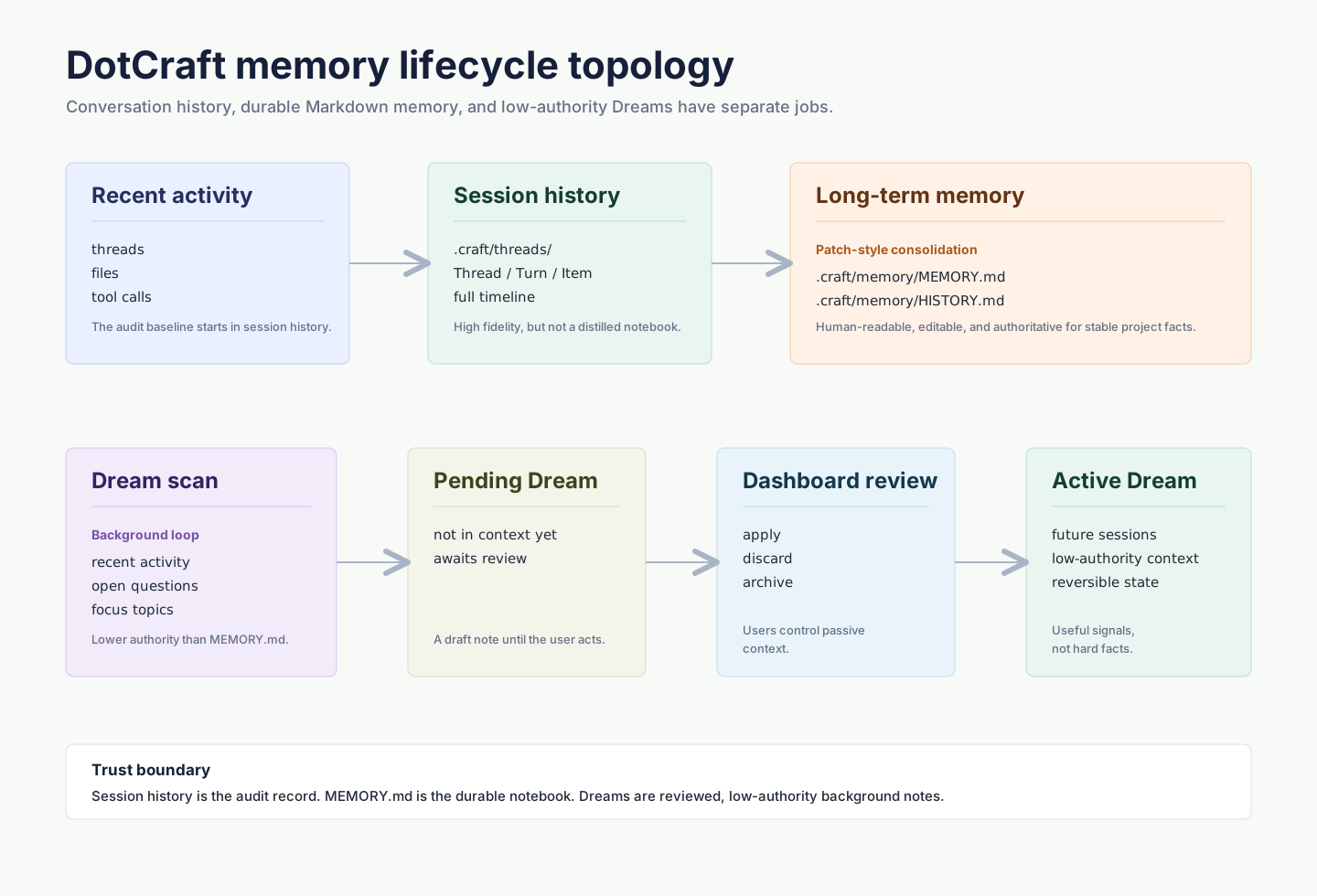
Three ways DotCraft remembers
| Type | What it helps with |
|---|---|
| Conversation history | Reopen an earlier conversation and pick up where you left off |
| Saved memory | Keep stable project context, preferences, and decisions, carried into every conversation |
| Dreams | Track recent focus and open questions that have not settled yet |
None of the three replaces the others. Conversation history preserves each piece of work, saved memory keeps the conclusions that stay useful beyond one conversation, and Dreams fills in the tentative background.
Where memory lives
Saved memory sits in your workspace at .craft/memory/MEMORY.md, and every update adds a short record to HISTORY.md. These are ordinary Markdown files — whatever you edit is read back in the next time DotCraft updates its memory.
TIP
To reset a project's memory, use Desktop's Settings → Personalization → Reset memory. It clears memory and Dreams, and leaves conversations, config, skills, and automation tasks untouched.
Dreams
Dreams reviews recent workspace activity in the background and turns what stands out into tentative notes. It does not treat those notes as instructions or established facts — they are only background for later conversations.
Turn it on in Desktop under Settings → Personalization → Dreams. Each run waits for your review, and later conversations use it only once you apply it. You can also turn on auto-update so successful runs take effect directly.

Facts and preferences you need DotCraft to remember reliably belong in saved memory. Dreams is a supporting hint, and you can correct or discard it at any time.
Related docs
- Skills & Self-Learning — memory keeps facts, skills keep methods: a workflow that worked gets reused next time
- Observability — review Dreams runs and session traces in Dashboard