
Use DotCraft
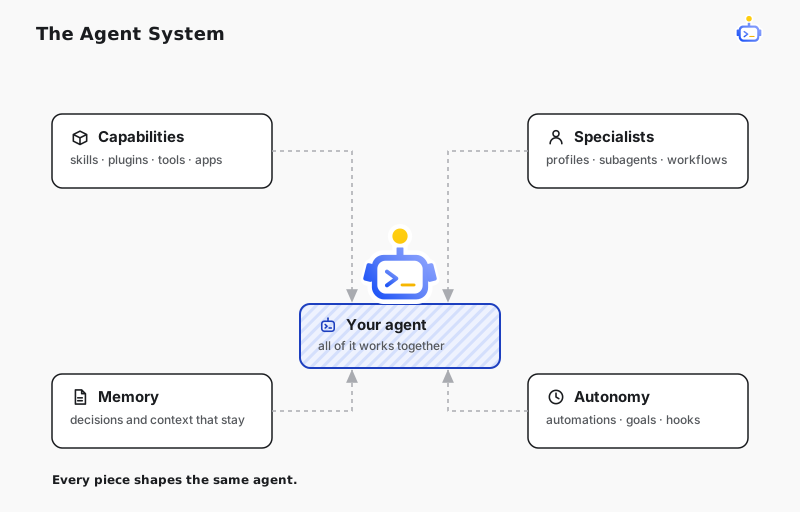
At the center of DotCraft is one agent that keeps growing with your project. These pages cover how you work with it: what a conversation can do, how you shape the agents themselves, what keeps running while nobody is watching, and which tools and apps the agent can reach. The last two sections bring the same agent into your team's chats and onto a project board.
Get more from a conversation
In Desktop, a reply can carry a calculator, comparison, or quiz as an interactive answer, or a chart, simulation, or set of design mockups as a visualization. Subagents run focused assignments in their own context, keeping the main conversation clean. When a coding agent outside DotCraft should take over, Workspace Handoff exports the conversation as a handoff document. In the other direction, Import From Other Agents brings the chats Claude Code, ChatGPT, and Cursor recorded for the same project into DotCraft.
Shape your agents
Agent Profiles gives reusable specialists their own instructions, tools, skills, and model defaults, while Agent Builder lets you shape them through conversation. Skills & Self-Learning turns a workflow that already worked into a reusable skill, ready for the next task of the same kind. Memory & Dreams keeps project context, preferences, and decisions available from one conversation to the next. Memory is stored as plain Markdown in your workspace, so you can read and change it at any time. Lifecycle Hooks run your own scripts at key moments in a conversation, such as confirming a dangerous command before it executes.
Run unattended
Automations & Goals runs routine tasks on a schedule, and can give a conversation a long-running goal to keep pushing on. Dynamic Workflows turns repeatable orchestration into scripts that can run several subagents in parallel.
Extend what it can do
Plugins & Tools covers the built-in tools, plugins, and MCP servers that give the agent its capabilities, and the trust boundary around each. When you need more, Plugin Marketplaces adds plugin catalogs you trust, and Connected Apps lets a conversation work directly with the products and services you already use. DotCraft Satellite enables remote tool calls on another PC, whose owner controls access and can pause sharing at any time.
Ask from your team chat
Channels & Bots puts the same agent in QQ, WeCom, Feishu / Lark, Telegram, and WeChat, so a colleague can ask in the group chat instead of opening Desktop.
Run project work from one board
Oratorio gathers local tasks, GitHub issues and pull requests, and GitLab issues and merge requests on one board, where you hand work to an Agent, follow the run, and review the result.